Gambling, profile and more
Pilot Profile and Cosmetics: Frames, Titles, Locker
Your Nullbelt pilot profile explained: the pilot file, frames, titles, nameplates, medals, the Locker and mottos, and what other players can see about you.
On this page
Your Nullbelt profile is your pilot's public file: who you are, how long you've survived, what you've earned and what you're carrying. You dress it with cosmetics (portraits, frames, banners, titles and nameplate colours) from the Locker. This guide explains every part of the profile, how to get each kind of cosmetic, and exactly what other players can see about you.
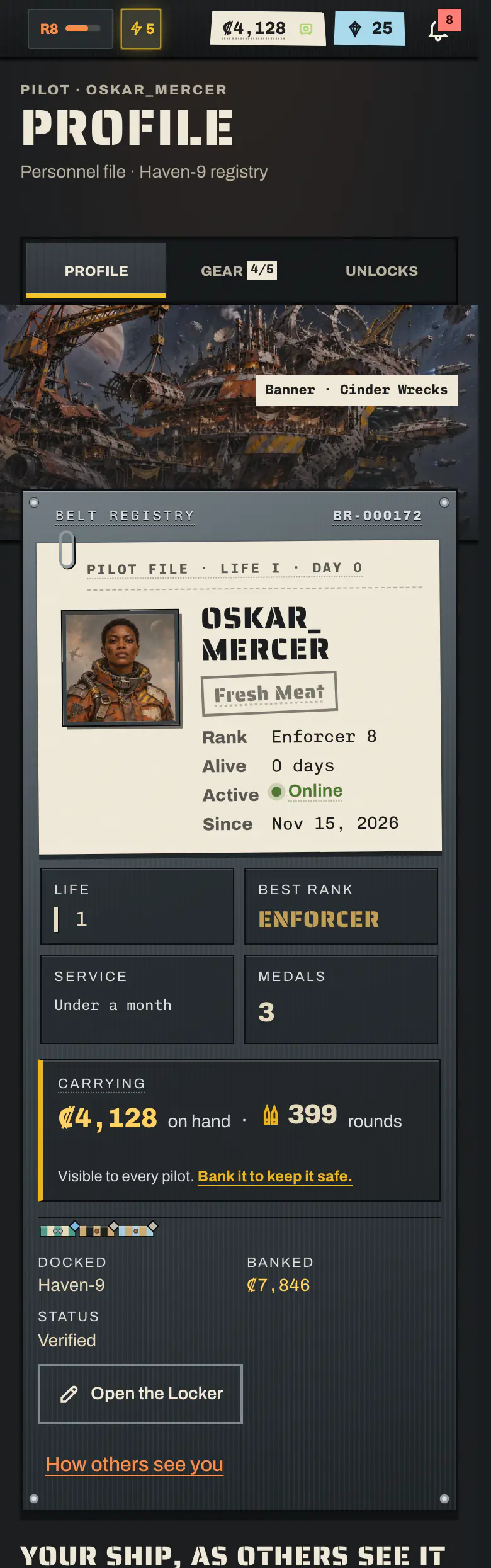
Your pilot profile: Paper and Steel#
Open Pilot → Profile (/pilot) to see your own file. Every other pilot's profile is at /pilots/<name>: tap a name almost anywhere in the game to open it.
The top of the profile has two layers:
The paper file (this life)#
The paper file is the pilot you're flying now. Its tab reads Pilot file · Life N · Day N.
- Portrait, frame, banner and title that you picked in the Locker.
- Name in your nameplate colour, with your crew tag.
- Rank this life, and how long this pilot has survived.
- This life's medals, shown as ink stamps on the paper.
- Pinned medals: up to 3 medals of your choice, hanging from the file.
- The paper ages as you survive. It starts crisp and wears a step further at 14, 60 and 180 days survived. A new pilot starts a fresh file.
The steel service plate (your account)#
The riveted plate behind the file belongs to your account, so it stays the same across every pilot you've had:
| On the plate | What it shows |
|---|---|
| Belt registry | Your account number in signup order. It never changes. |
| Lives | How many pilots your account has had, this one included |
| Service stripes | One stripe for every 30 days since you signed up |
| Best rank | The highest rank any of your pilots reached |
| Medals | Your account's ribbon rack and medal count |
A new pilot on a veteran account reads as exactly that: a crisp new file on an old, heavily striped plate.
The rest of the profile#
Below the hero, a profile also shows the pilot's crew, activity mastery, equipped gear, the ship they fly (its hull, name, paint, refits and modules), their flatlines this life and across all lives, and a Past lives list. Each past life opens that pilot's voided file, with how far they got and who flatlined them. See Death and Legacy.
What other players can see about you#
| Public on your profile | Not on your profile |
|---|---|
| Name, rank, best rank, lives, registry number, service stripes | Your station |
| Portrait, frame, banner, title, nameplate, motto | Ship combat stats and plating |
| Medals and pinned medals | Whether you're in the brig or under new-pilot protection |
| Crew, mastery, equipped gear and your ship's looks | Banked credits |
| Credits on hand and rounds held, live | Your crew vault's rounds and credits |
| Flatlines, past lives and how they died | Clone Insurance |
| Last active (rounded) | Your login times and the exact time you played |
Banked credits, your crew vault and Clone Insurance are private everywhere in the game. Your station and brig time can still turn up elsewhere: a scan ping reveals a pilot's station, for example, and the brig list shows who is inside.
Credits on hand and rounds#
Every profile shows what the pilot is carrying right now: credits on hand and rounds held. It's public on purpose, so hunters can pick targets. If you don't want to be a target, bank your credits. See Banking.
Last active#
Every pilot shows a rounded last-active status, so you can tell whether someone is still playing:
| Status | Means |
|---|---|
| Online now | A move in the last 5 min |
| Active < 15 min ago | 5 min to 15 min ago |
| Active < 1 hour ago | 15 min to 1 h ago |
| Active < 6 hours ago | 1 h to 6 h ago |
| Active today | 6 h to 24 h ago |
| Active yesterday | 24 h to 2 days ago |
| Active N days ago | 2 days to 7 days ago |
| Active over a week ago | 7 days or more ago, or never seen |
Any move in the game counts, and so does leaving the Notice board open. A tab left idle in the background doesn't. The status is rounded so nobody can work out when you sleep, and there's no setting to hide it. It shows on profiles and next to names on the Pilots page, in crew rosters and on public crew pages, on attack targets, on Fight's scans and in Grudges.
Frames, titles, banners and other cosmetics#
Every cosmetic belongs to your account, so it survives your pilot's death. There are five kinds:
| Cosmetic | Where it shows |
|---|---|
| Portrait | Your face, on the profile and next to your name |
| Frame | A ring around the portrait, everywhere the portrait shows. In feed, roster and board rows it's a small notched ring in its colour. |
| Banner | The backdrop of your profile, mostly station scenes |
| Title | A line under your name, such as Belt Rat or Void Baron |
| Nameplate | The ink colour of your name, in the profile, feed, roster and leaderboards |
Frame tiers#
| Tier | What it looks like | Examples |
|---|---|---|
| Plate | Stencilled steel, drawn sharp at any size | Riveted, Signal Lattice, Laurel, Black Ledger |
| Forged | Painted, metal-work art | Gilded, First Signal, Prime, Chrome, Ember, Broker's Seal |
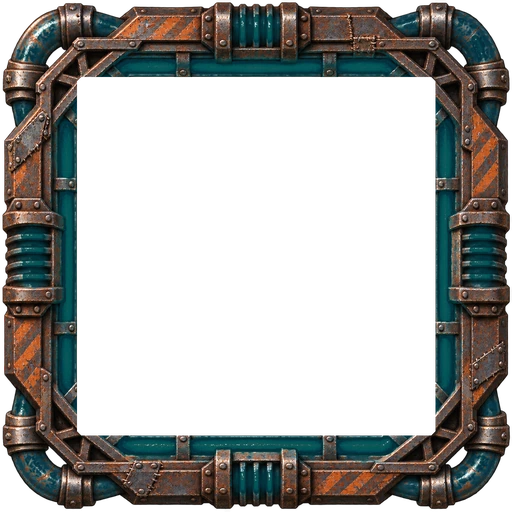
| Live | Painted art with a slow glow (off when your device asks for reduced motion) | Reactor Core, Red Giant |
How to get cosmetics#
| Source | Examples |
|---|---|
| Free for every account | The starter portraits, the free banners (Cinder Wrecks, Meridian Lanes and Haven-9 Lights), Fresh Meat and Belt Rat |
| Reach a rank (your best rank on any life) | Better portraits, the Wreck Field and Red Giant banners, the Riveted Frame from rank 4, the Gilded Frame from rank 9, titles up to Living Legend |
| Verify your phone | Signal Lattice frame |
| Flux shop | Chrome Frame (150 Flux), Ember Frame (250 Flux), Reactor Core and Red Giant (Live, 450 Flux each), Ember, Ion and Toxic nameplates |
| Nullbelt Prime | Prime Frame, unlocked when you subscribe and yours to keep after Prime ends |
| Renown shop | Renowned title, Laurel Frame, Gold nameplate |
| The Broker at the Black Market | Alley Regular, Black Ledger Frame, Broker's Friend, Broker's Seal Frame |
| Recruiting | New Blood (join through a recruiter's link), Talent Scout, Ringleader, Kingmaker |
| Recruitment drive prizes | Drive Champion, First Signal Frame |
| Daily contracts | Dockhand, for claiming every first-shift task |
Cosmetics change how you look, never how you play: nothing here changes a number. See Flux, Prime, Renown and the Broker for those sources.
Note
Phone verification is switched off for now, so the Signal Lattice frame can't be earned at the moment. See Account and security.
The Locker: edit your profile#
The Locker (/pilot/edit) is where you change your look. Open it from your profile with Open the Locker.
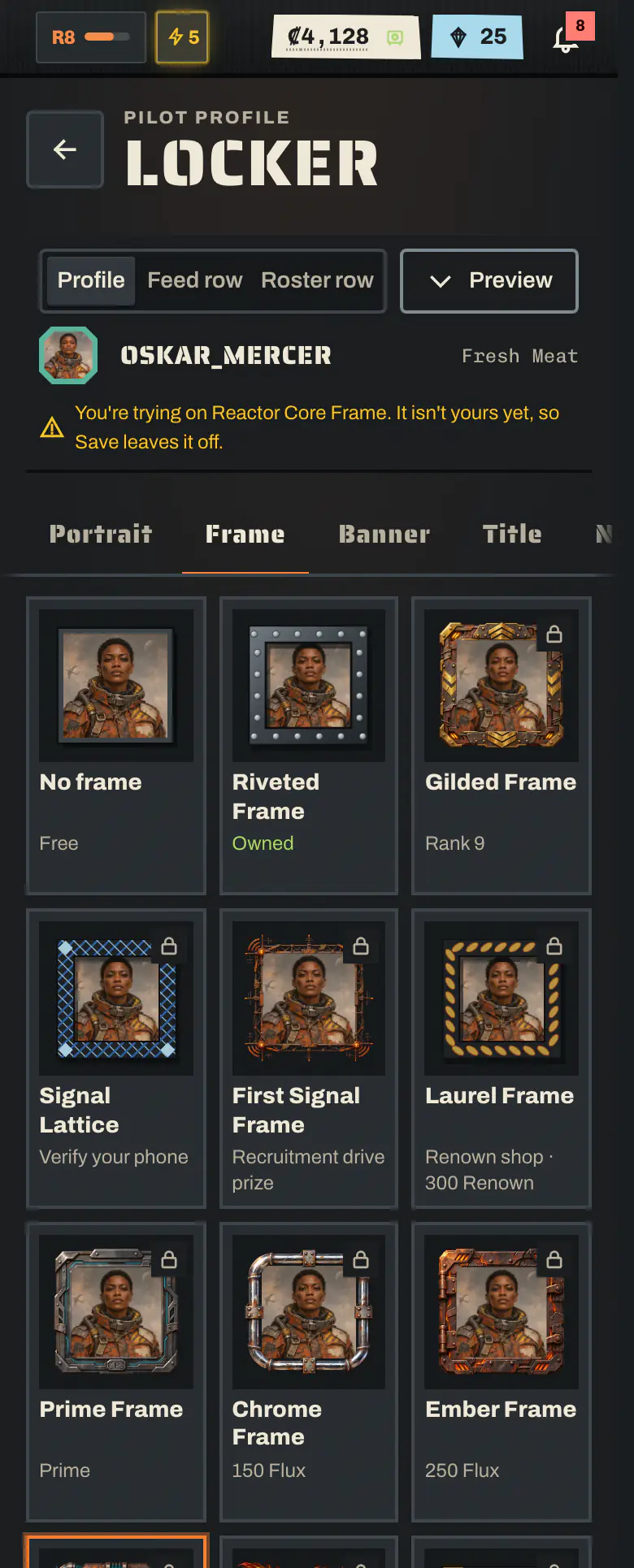
- Pick a tab: Portrait · Frame · Banner · Title · Nameplate · Medals · Motto.
- Tap any tile to try it on. The live preview at the top updates at once. On a phone, the preview is a strip you can hide.
- Locked items say how to get them. A Flux item has a Buy button right there. Rank items show the rank you need.
- View as switches the preview between your full profile, a feed row and a roster row, so you can see how a frame or name colour reads at small sizes.
- Tap Save. Save keeps only what you own. Anything you were just trying on stays in the preview and is left off.
Tip
On someone else's profile, tap their frame, title, nameplate or a medal to see what it is and how to get it. For cosmetics there's a Try it on button that opens it in your Locker.
Medals on display#
Medals are earned by play and can't be bought. In the Locker's Medals tab you pick up to 3 to pin to your file. Tap a pinned medal again to take it off. Every medal card says how rare it is (Held by N% of pilots), counted among recently active accounts. While too few pilots are active, it doesn't show a share yet. See Medals and achievements.
Your motto#
Your motto is a line of your own on your profile, up to 80 characters.
- Saving a new motto needs a verified email, because it's public text (SMS verification is switched off for now). Clearing it, and everything else in the Locker, is open to every account.
- No harassment, hate, threats or spam: the same rules as crew chat and envoys apply.
What happens to your profile when you die#
When your pilot dies, their file is voided: the profile greys out, the portrait carries a crack, and a VOIDED stamp goes across it, with who flatlined them, where and when, and how many days they survived. It stays public, so everyone can see how far that pilot got. If you had Prime when the pilot was flatlined, Clone Insurance can still revive the same pilot within 48 hours, once per life, as long as you haven't made a new pilot. Otherwise the death is final, and your account keeps its registry number, stripes, best rank, account medals and every cosmetic for your next pilot, who wears them from day one. See Death and Legacy.
Frequently asked questions#
How do I change my profile picture in Nullbelt?
Open Pilot → Profile and tap Open the Locker. Pick a portrait on the Portrait tab, then tap Save. You can also change your frame, banner, title, nameplate colour, pinned medals and motto there.
Do I keep my cosmetics when my pilot dies?
Yes. Portraits, frames, banners, titles and nameplate colours belong to your account, not to one pilot, so your next pilot keeps them. Rank-unlocked looks follow your best rank on any life.
Can other players see how many credits I have?
They can see your credits on hand and the rounds you're carrying, live, on your profile. Banked credits, your crew's vault and Clone Insurance always stay private.
Can I hide when I was last online?
No. Every pilot shows a rounded last-active status such as Active today. It is rounded on purpose, so nobody ever sees the exact time you played.
Why can't I save my motto?
A motto is public text, so saving a new one needs a verified email (SMS verification is switched off for now). Clearing your motto and everything else in the Locker is open to every account.